Vectopen 0.2.2-beta: a deep interface review, 10 languages, ten real jobs, and the app now updates itself
0.2.0-alpha was the first downloadable version. Since then 106 changes went in, in five stages: formats, text, a deep review of the interface in all three modes, ten real jobs done start to finish and, last, the complete interface in 10 languages. The result is 0.2.2-beta.
Download 0.2.2-beta → Windows (.zip) · macOS universal (.dmg / .zip) · Linux (.deb, .rpm, .tar.gz)
1. Opening Affinity files
Import and export now sit on a new native layer written in Rust
(vectopen_io) that runs on Windows, macOS and Linux and is guarded: if a file
is damaged or huge, Vectopen warns you instead of crashing, and it keeps a
backup copy before operating.
On top of it there's an in-house reader for Affinity documents
(.af, .afdesign, .afphoto, .afpub), checked against 33 real documents
from Affinity 1, 2 and 3. It brings in curves, rectangles with their corners,
ellipses, stars and gears, RGB/CMYK/grey colours, gradients, strokes, text with
its runs (font, size, colour, outline), paragraphs, images, clipping, layer
effects (shadows, glows, blur, outline), embedded documents, master pages and
artboards. If a font used by the document isn't installed, it tells you.
2. Text that edits like Office
- Moving through text like Word: Ctrl+← / → jumps by words, Ctrl+↑ / ↓ by paragraphs, Page Up / Page Down by pages.
- Formatting only touches the selection. Font, weight, italic, underline, strikethrough, size, colour, outline, spacing and baseline apply only to the selected letters, like Word or InDesign, with undo.
- UPPER, lower, Title or Sentence case by selection too (Pro used to change the whole text).
- Convert to curves (Ctrl+Shift+O): every letter becomes a shape with its colour and position.
- Ctrl+Z while typing undoes what you typed without leaving the text.
3. Reviewing the interface in Smart, Modern and Pro
This was the longest part. I reviewed the app in its three interfaces, in light and dark themes, in two rounds. Every issue was closed with an automated test that drives the interface the way a person would (clicks, keyboard, drags) and fails if the defect comes back. Interface tests went from 41 to 88.
First round (7 issues). The worst one was critical: with 300–1,000 brush strokes, or when selecting about 400 objects, the app froze. Not anymore. Also:
- the typography panel no longer cuts off paragraph editing;
- text created by dragging keeps the size it previewed;
- a new Pages panel with Single, Spreads (like a book) and Grid views;
- the 360° ring no longer draws a stray line;
- Script and Plugins work in Modern and Pro too;
- the Inspector covers every property of every object.
Second round (24 issues). Many came from your feedback on the alpha:
- Invisible strokes in Modern: new strokes inherited the selection's colour and could be born white on a white page. A new stroke is never born without contrast now.
- Clipping masks follow the curve even when Béziers cross or the path is open.
- Typing in the Inspector no longer switches tools: letters typed in a field used to act as shortcuts. Escape gives the keyboard back to the canvas.
- Vectopen's theme everywhere: the Inspector and the Pro panel showed light grey bars with white text (Godot's default theme); they now share the Layers panel design, in light and dark.
- Always Vectopen's own colour picker (never Godot's), with its palette visible and usable in all three modes, gradients you can save as swatches and right-click delete.
- The full Stroke panel in Modern too, with new parameters: dash offset, custom pattern ("12 4 2 4") and stroke behind fill.
- Brushes with their real texture (grainy pencil, soft airbrush, calligraphic…) and swatches that are real strokes.
- A more flexible Pro: tabs you can reorder and pull out as floating windows; an Inspector you resize by dragging its edge; Shader, Script, Vectorize and Plugins icons next to Export; the missing "Page" panel (colour and size).
- The page-size window redesigned as a grid with thumbnails (paper, screens, phones, social media).
- X, Delete and Backspace delete in every context; the right-click menu no longer runs off screen or hides under the ruler.
Debuggers at zero. At the end of the review, Godot's Debugger tab and Vectopen's diagnostic console showed repeated errors (85 of one kind) and 79 code warnings. Now: zero errors and zero warnings across 300 scripts.
4. Ten real jobs, start to finish
With a clean interface, the question moved from does every button work? to can a designer finish a real job? I did ten complete jobs, each in its main interface: exact format, layers, text, export to PNG/SVG/PDF and compare with the screen, 20 undo steps, save, close and reopen with nothing lost, light and dark theme.
| # | Job | Interface | Result |
|---|---|---|---|
| 1 | 20-page book | Pro | Passed |
| 2 | 8-page magazine | Pro | Passed |
| 3 | A1 poster | Smart | Passed |
| 4 | Social media flyer (1080 × 1350) | Modern | Passed |
| 5 | Logo with variants | Pro | Passed |
| 6 | Ring logo mark | Smart | Passed |
| 7 | Business card | Modern | Passed |
| 8 | Data infographic | Pro | Passed |
| 9 | Visual encyclopedia (12 cards) | Pro | Passed |
| 10 | App UI kit | Modern | Waiting on two new features |
They uncovered 26 defects that feature-by-feature tests never saw: 19 are already fixed, 5 are minor details still on the list, and 2 are new features. The most important:
- PDFs came out 33 % too large (pixels written as points: an A4 was not an A4). PDF and EPS now have the exact physical size.
- Print bleed: PDFs carry the page bleed and the trim boxes a print shop expects.
- Solid logos: turning a subtract with a hole into a path lost the hole. It's kept now.
- Masks, arrowheads and shadows on export: a photo inside a circle mask, stroke arrowheads and some shadows were lost in SVG/PDF.
- Duplicating pages shrank the copy's titles; the Grid view now arranges the canvas too; off-screen text no longer comes out blurry in 3× PNGs; centering text in a button really centers it.
- Automatic page numbers (
{pág}/{total}), a page grid (margins, columns, gutter, bleed) and A0–A2 sizes.
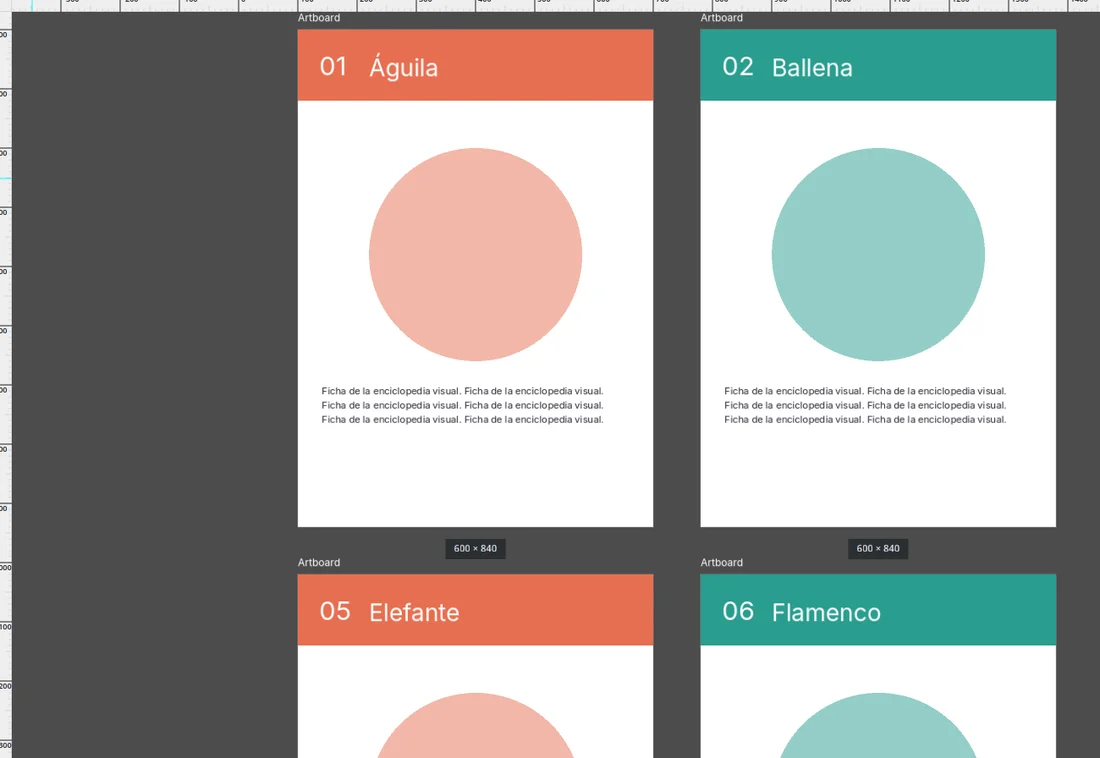
Every job stays as an automated test: if something breaks tomorrow, the job fails and I see it before you do.
5. The complete interface in 10 languages
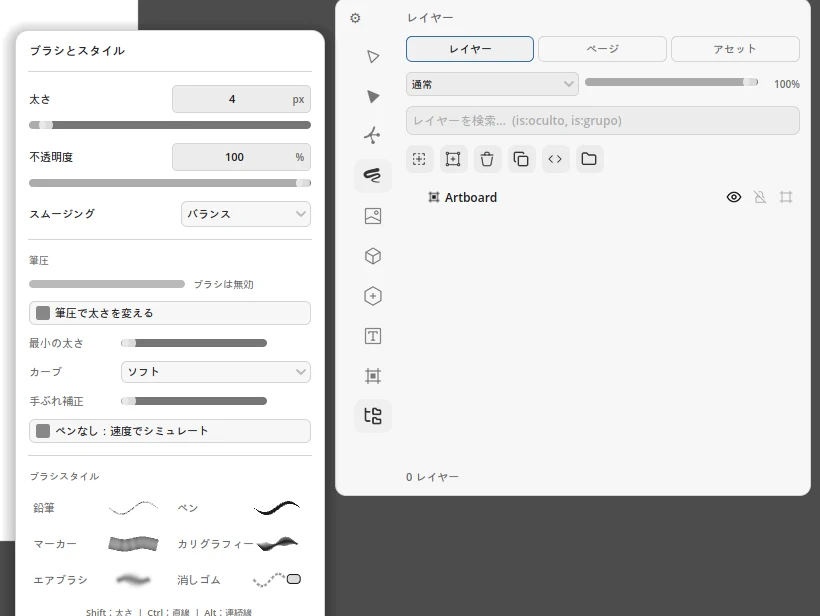
Vectopen already picked your system's language, but of about 870 interface texts only 124 were translated: in English or Japanese whole panels still showed up in Spanish (Brush, Stroke, Pages, Export…). Now all of them are translated into the 10 languages: Spanish, English, French, German, Portuguese, Russian, Chinese, Japanese, Arabic (right to left) and Hindi. That includes texts with numbers ("3 of 12", "0 layers", "Pen: 40 %"), which were never translated before.
An automated test opens the app in every language, in Smart, Modern and Pro, and fails if a single Spanish text is left on screen. The translations haven't been reviewed by a native speaker of each language yet: if a term looks odd in yours, say so on Reddit or GitHub and I'll fix it.
Vectopen tells you when there's a new version
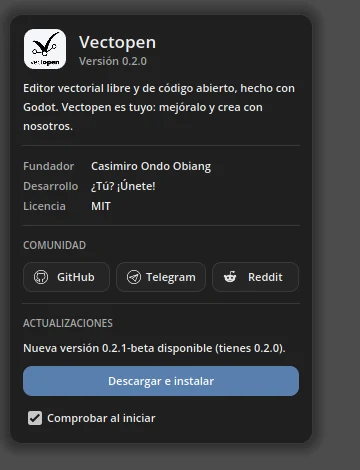
Clicking the logo opens a new window with your version, credits, community and updates. On start-up (once a day, and you can turn it off) Vectopen checks GitHub for a new version; if there is one, a red dot appears on the logo. Download and install fetches the package for your system with a progress bar; on Linux it installs it, asking for your password, and offers to restart; on Windows and macOS it opens the downloaded file.
Behind it there's a GitHub Action that builds Vectopen on Windows, macOS and Linux every time I publish a version, packages it and creates the release. This is also the first version with Vectorize on Windows and Apple Silicon Macs (not yet on Intel Macs: the AI library it uses doesn't exist for Intel).
Community: now on Reddit too
Besides Telegram and GitHub, Vectopen now has a community on Reddit: r/Vectopen_editor: the best place to show what you make, ask for features and talk about releases.
Next (0.2.2)
- Linked components: change the master button and every copy updates.
- Named text styles (heading, body, caption) applied and updated in one go.
- Jobs 11 to 30: wireframes, icons, brush illustration, maps, packaging, typography, shaders, scripts and vectorizing photos.
- A Windows installer and signed binaries (today Windows and macOS show the "unknown developer" warning).
Help keep it going
Vectopen is made by one person, with no company, no account, no telemetry and no paid tier. You can support it on GitHub Sponsors, or help just as much by trying the beta and reporting what breaks on Reddit, Telegram or GitHub. A good part of this version came from exactly those reports.
Thanks for reading — and if you make something with Vectopen, show it on r/Vectopen_editor.