IHTML Interactive HTML
Visual editor for HTML/CSS animations: a canvas with artboards, a keyframe timeline, a property inspector, and no-code actions. App for Windows, macOS, Linux, and Android. Publish to the web with Export HTML, or send an .ihtml file — an interactive document that opens with IHTML Mirror and stays editable.
Download
Download IHTML
Desktop and Android app. Install once and it works offline.
On Android, IHTML Mirror gets installed (opens and runs an .ihtml file); the full editor
is desktop-only. iOS: coming soon. Prefer running it from source? See "How to start".
Features
Everything the editor does.
No code required.
From the keyframe timeline to real physics: professional web animation, in one window.
Keyframe timeline
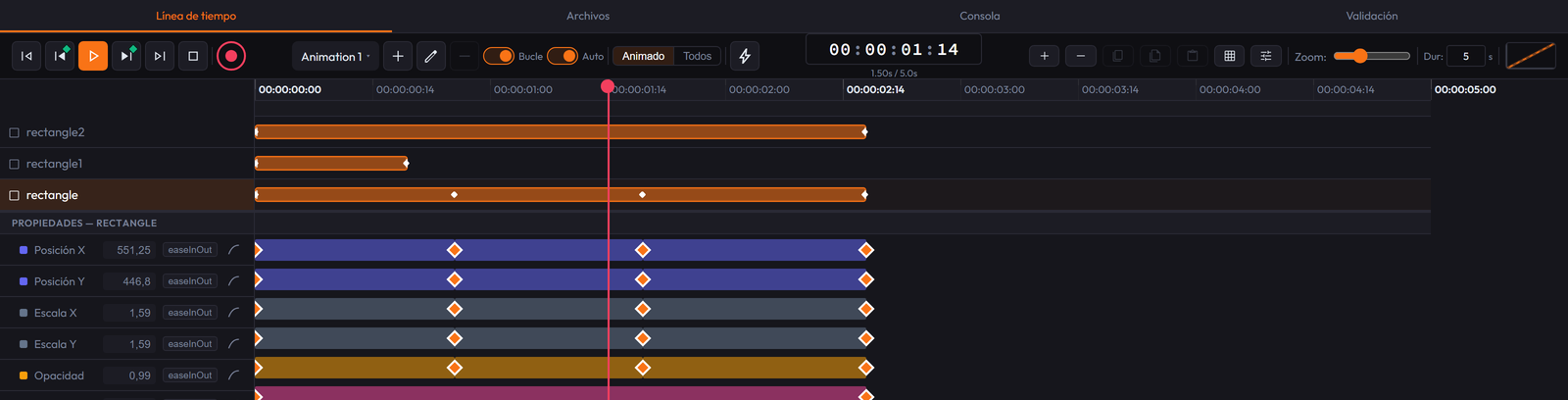
Multiple named, independent animations, auto-keyframe (REC), visual easing, action markers, and keyboard clipboard.
Multiple artboards
Scenes within a single canvas, each with its own size and background; navigable pages with transitions on export.
Full visual inspector
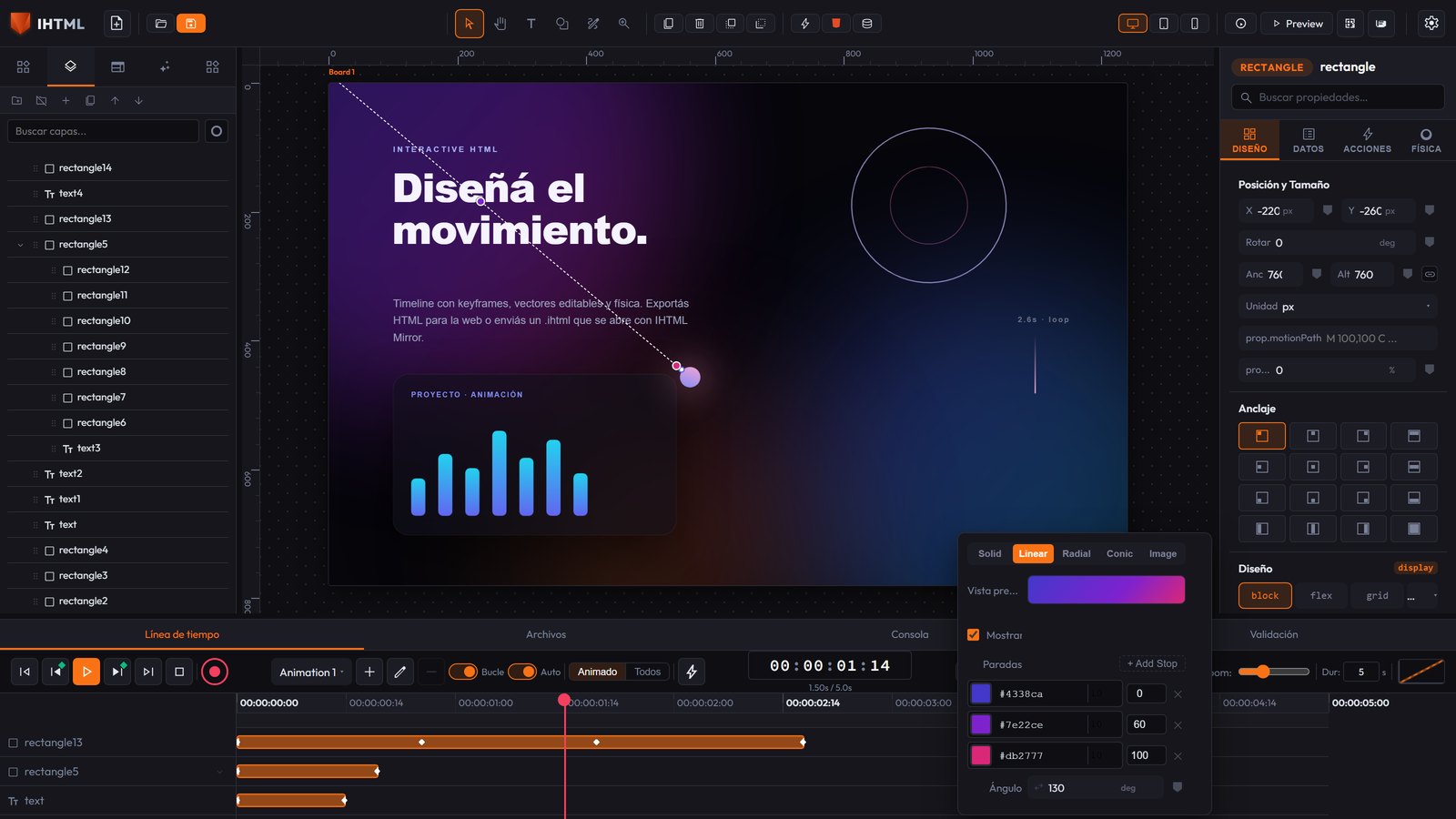
Design, Data, Actions, and Physics: layout, typography with a web-font search, gradients with a free handle right on the canvas (appears on its own, one click), color picker merged into the same popover, hover/active states, CSS classes, and more.
No-code actions
Click, hover, key, scroll, delay… to show/hide, animate, play timelines, set variables, go to pages, and more.
Real vectors
Rectangles, ellipses, polygons, and paths drawn with Pen: exported as real <svg>,
with node editing, boolean operations, and morphing by keyframes.
8 languages · 6 themes
Translatable interface (EN, ES, PT, FR, DE, IT, JA, ZH) and six themes, light and dark. These are editor preferences only, never part of the exported file.
Real performance
The animation engine positions with transform (compositor/GPU) instead of
left/top — both in the editor and in the exported HTML.
Public API
window.ihtmlDocument: control the exported result's animations, variables, and actions
from your own script or an <iframe>.
MCP for AI agents
A real MCP server: Claude Code (or another MCP client) controls the already-open editor directly — creates and edits elements, switches breakpoints, adjusts the canvas, and exports, without simulating clicks.
Import / Export
Imports .ihtml (and legacy .json), loose HTML, SVG, and designs from Sketch,
Penpot, and EPUB. Exports single or split HTML, image (PNG/WebP/JPEG), GIF, and video.
Ready-made components
50+ element types: text, buttons, inputs, cards, navbar, pricing, tabs, sliders, canvas, video, iframes… with real HTML properties per type.
See it in action
Inside the editor
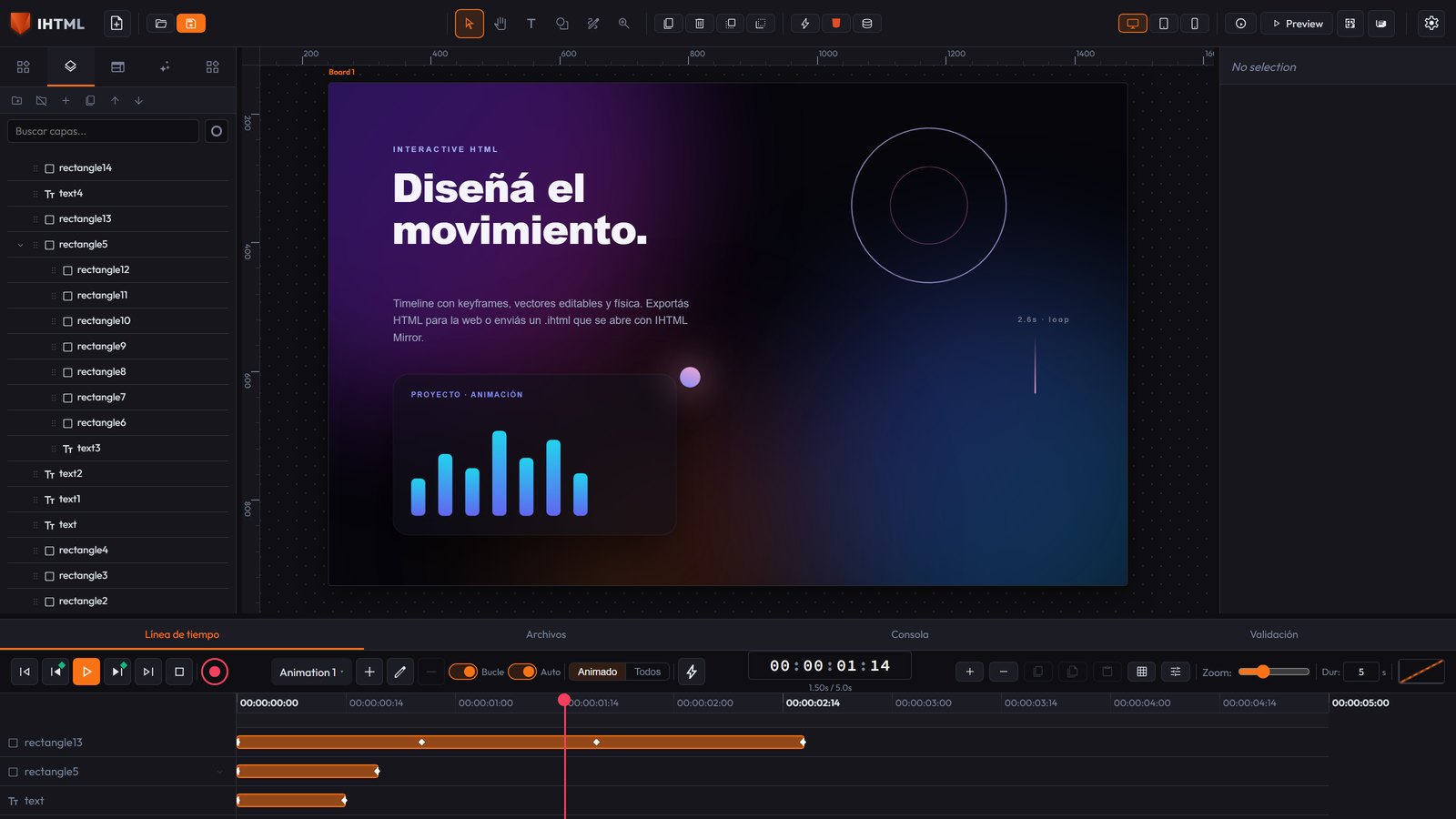
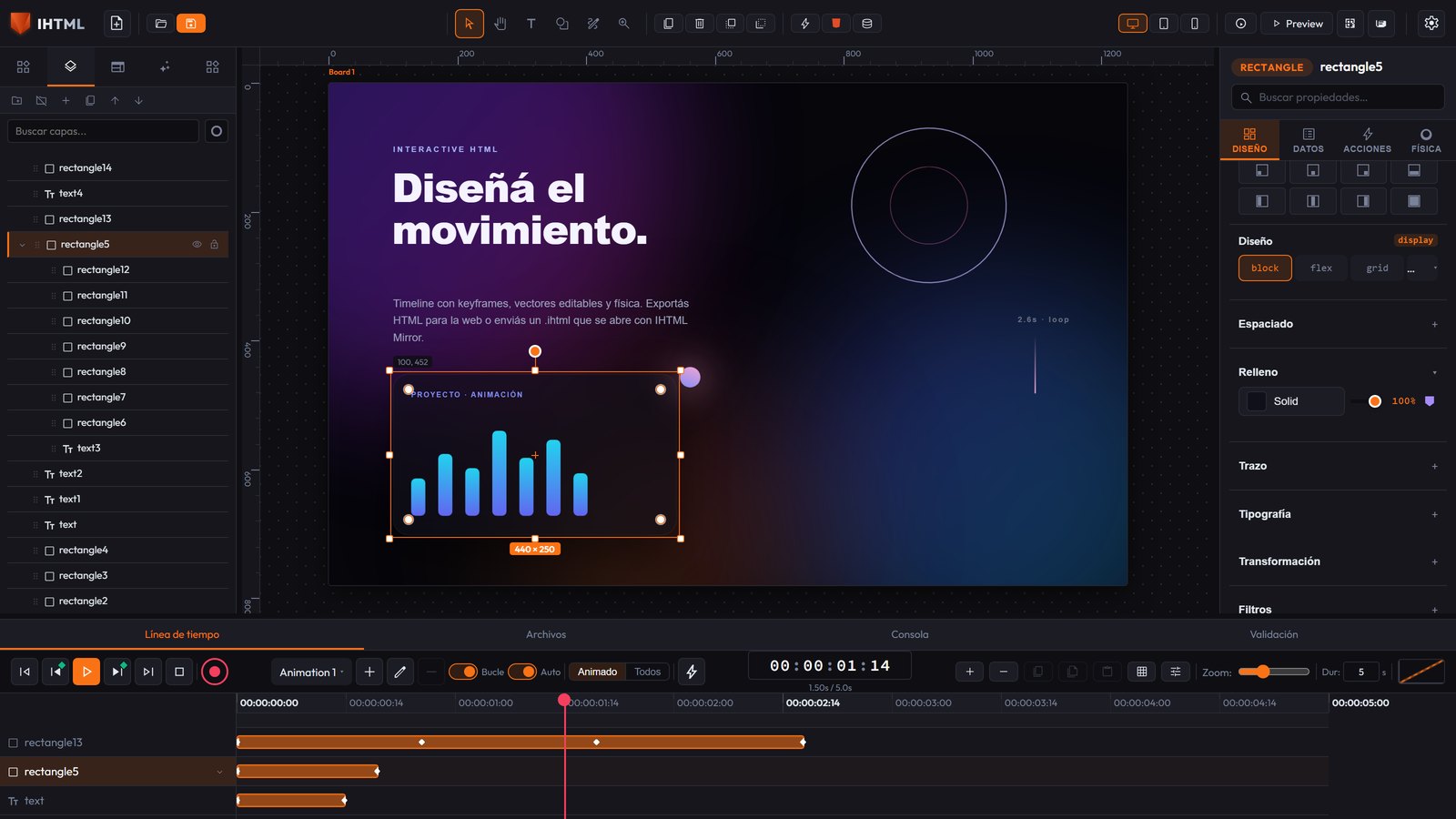
Canvas, timeline, and inspector in one window. No floating panels to chase.
The format
Two ways to share
An .html to publish on the web, or an .ihtml to send an interactive document that
opens with IHTML Mirror.
Export HTML → the web
A standard .html file (single or split into CSS+JS), with the animation engine embedded.
Works in any browser and hosting, or inside an <iframe>.
.ihtml → IHTML Mirror
The file you send: it carries the whole project (elements, animations, actions, fonts, images, and video). Whoever receives it opens it with IHTML Mirror, the free app — desktop or Android.
The same .ihtml re-edits
That file is both the result and the source: reopen it in the Editor and pick up exactly where you left off. No separate project file to lose.
IHTML Mirror
The PDF that moves
Mirror opens and runs an .ihtml file. Think of it like a PDF — but with animation,
interaction, and control over who opens it and until when.

Business
Proposals, catalogs, reports, onboarding — and interactive advertising with no internet: carry it on a USB drive to a trade show, a booth, or a store and it opens the same. You send a file, not a link.
Health
Materials for patients, informed consent forms, and procedure guides: animated, clear, and in
whatever language is needed. The .ihtml file doesn't depend on a website that could go
down.
Education
Interactive books and notes, exercises, and class presentations. Students open them with no account; with real text and ARIA roles, they work with screen readers and keyboard navigation.
Distribution control
Every .ihtml file is public, semi-private, or private (password-
encrypted, AES-256). With an optional expiration date for material that shouldn't circulate forever.
Everything inside
The file carries fonts, images, and video embedded. Once you have Mirror, it opens offline: no CDN, no fonts failing to load, no broken links.
Free for whoever receives it
IHTML Mirror costs nothing — like a PDF reader. The creator subscribes to export; the recipient just installs Mirror and opens the file.
Pricing
Start free. Subscribe whenever you want.
The editor is free. The subscription enables export. Cancel anytime.
Free
US$0
- Full editor, no design limits
- Import
.htmland.ihtml - Export image: PNG, WebP, JPEG
- No HTML or
.ihtmlexport
Full
US$4 /mo
- Everything in Free
- Export interactive HTML and
.ihtml - Export GIF and video (MP4, WebM)
- Mobile preview via QR code
Also US$36/year (two months free). Up to 2 devices. Your files always stay on your machine.
First steps
How to start
Download, install, and you're already designing. No account or connection needed.
- Download the installer for your system and open IHTML.
- Drag elements from the Elements panel onto the canvas and adjust everything in the Inspector on the right.
- Put the playhead on the Timeline, tap a property's keyframe button, move it, and tap again: you already have an animation.
-
Export (free: image; Full plan: HTML and
.ihtml). For the web, Export HTML; to send a document, an.ihtmlfile that opens with IHTML Mirror and can be edited again.
Prefer to run it from source? Clone the repo and:
npm install
npm run dev
Open the URL Vite prints. To package the desktop app: npm run tauri:build.
Documentation
User guide
Everything the editor does: interface, vectors, artboards, timeline, actions, physics, export, keyboard shortcuts, and the runtime public API.
Frequently asked questions
Straight answers
The essentials of IHTML in four short answers.
What is IHTML?
IHTML (Interactive HTML) is a visual editor for HTML/CSS animations: a canvas with artboards, a keyframe timeline, a property inspector, and no-code actions. It's a desktop app for Windows, macOS, and Linux, and an app for Android; it can also be run from source in the browser.
Is IHTML free?
Yes: the editor is free and you can export images (PNG, WebP, and JPEG). The US$4/month subscription — or US$36/year — enables importing and exporting .html and .ihtml files, plus GIF and video export; the Free plan doesn't export HTML.
What is the .ihtml format?
It's IHTML's document format: it carries the whole project embedded (elements, animations, actions,
fonts, images, and video). It opens and runs with IHTML Mirror, the free app for desktop and
Android, and the same file reopens in the Editor to keep editing. To publish on the web, you use
Export HTML, which generates a standard .html file.
Do I need IHTML Mirror to view an .ihtml file?
Yes: an .ihtml file opens with IHTML Mirror (free, Windows/macOS/Linux/Android). It's
like a PDF reader — whoever receives the file installs Mirror once and that's it. If instead you
want it to work in any browser with nothing installed, export with Export HTML instead of
.ihtml.
Are IHTML projects uploaded to a server?
No. Projects live on your machine and the editor works offline; there are no accounts or backend. Exported HTML works on any hosting or as a single file. The app includes optional diagnostic telemetry (errors and version, never your project content) that can be turned off in Settings.